

Skip to content
View in the app

A better way to browse. Learn more.

Lightning Scriptz

A full-screen app on your home screen with push notifications, badges and more.

To install this app on iOS and iPadOS
  1. Tap the Share icon in Safari
  2. Scroll the menu and tap Add to Home Screen.
  3. Tap Add in the top-right corner.
To install this app on Android
  1. Tap the 3-dot menu (⋮) in the top-right corner of the browser.
  2. Tap Add to Home screen or Install app.
  3. Confirm by tapping Install.
***You must have 1 (no bullshit) post to download files, and you are only allowed 1 file per day.***

Check Tables 2.0.0 Beta 2

(0 reviews)

3 Screenshots

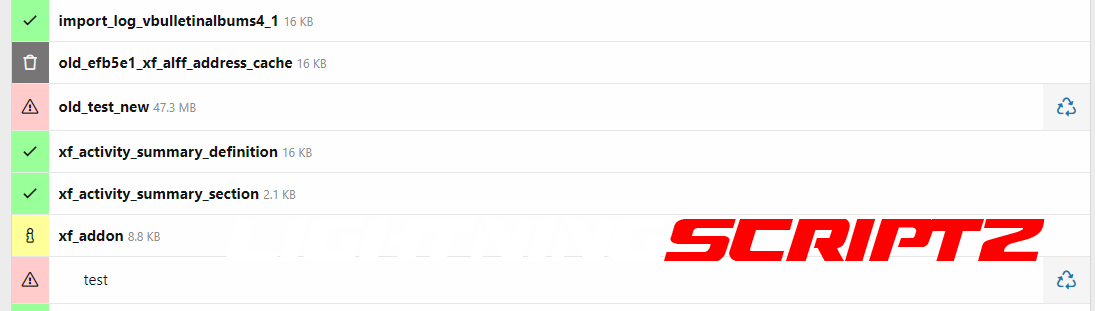
ChkTable can support you in finding out which tables or fields are no longer used in the XF installation. This is an interesting thing, especially after the change from XF1 to XF2. But even beyond that, it is always of interest to know which add-on has left remnants in the DB.

This version is still at an early stage. The first extensive tests were stable and satisfactory. So we are now looking forward to ideas/opinions.

Features:

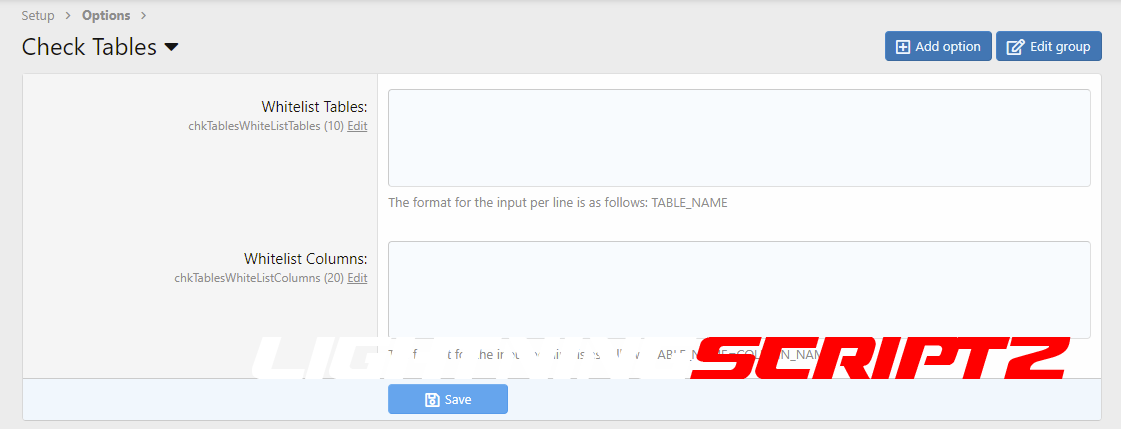
  • Whitelist - Tables
  • Whitelist - Columns


Important Info:
There is a flag for the "config.php" with which you can activate the renaming of a table/column. As with the XF superAdmin flag, the admin user IDs that are to have access to the add-on must be entered here.
$config['X0815']['ChkTables']['renameData'] = ADMIN_USER_IDs;

If changes are made to the DB, a backup should always be made and the use and final control is the responsibility of the user.

User Feedback

You may only provide a review once you have downloaded the file.

There are no reviews to display.

Account

Navigation

Search

Search

Configure browser push notifications

Chrome (Android)
  1. Tap the lock icon next to the address bar.
  2. Tap Permissions → Notifications.
  3. Adjust your preference.
Chrome (Desktop)
  1. Click the padlock icon in the address bar.
  2. Select Site settings.
  3. Find Notifications and adjust your preference.