




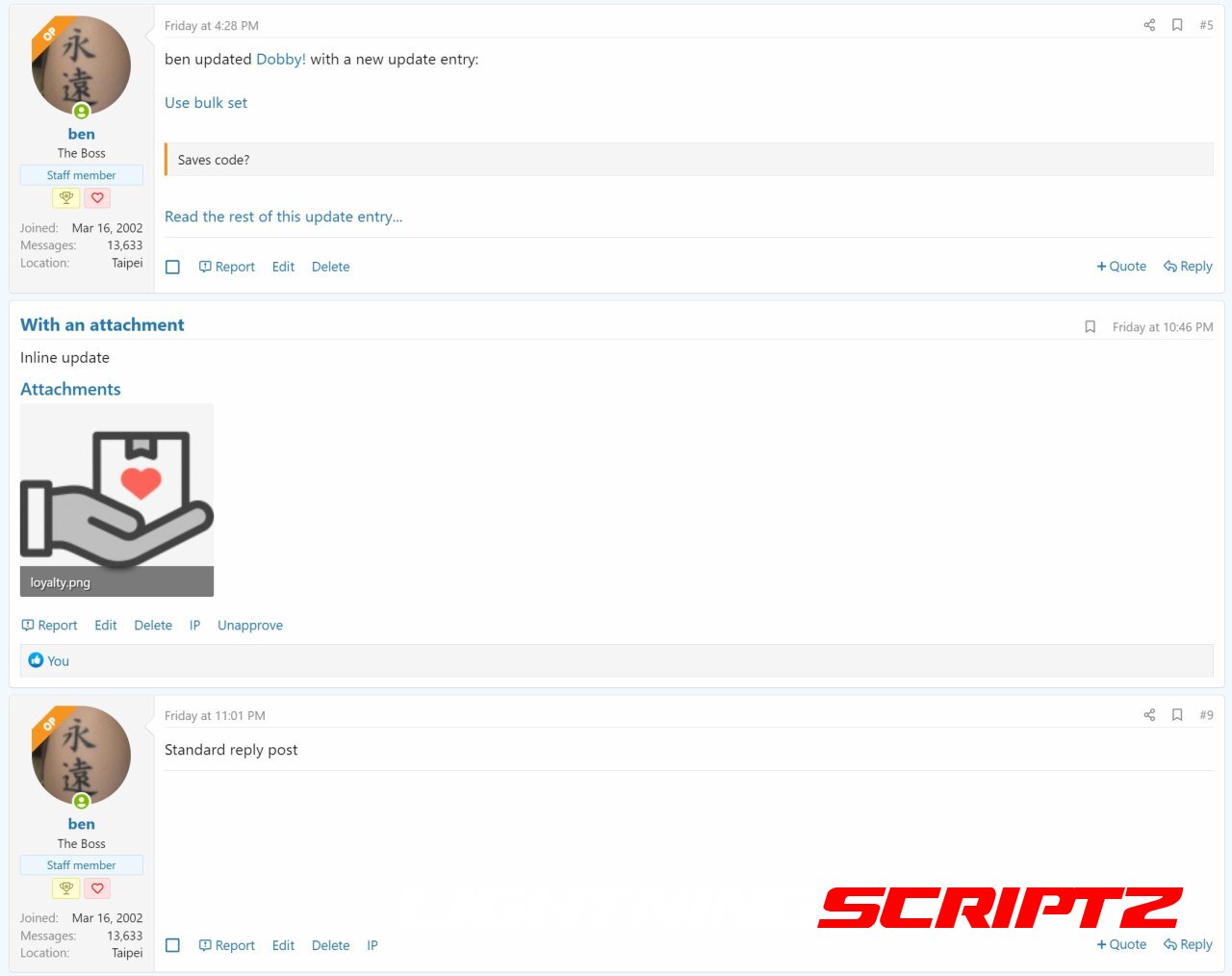

A number of enhancements for Showcase, affecting the discussion thread display.
When installed, you can browse through all the discussion posts and item updates merged together in chronological order without needing to click off to other pages to get the full story!
Note: You will need to have Showcase option "Display sections 1-6 content on thread" enabled for this to work properly.
Remove first post
The first post is just a post telling you there has been a new item posted, which is just a waste of space, so it's outta there!
Add reactions to main item content
Adds the reaction bar back to the main item content, so users can like it without needing to click "Overview".
Replace "update" posts with the actual update
Now you can see the update inline with the rest of the thread's posts, rather than needing to click a link to go there.
** This doesn't work retro-actively ** A new field discussion_post_id is added to the xf_xa_sc_item_update table - you can go back and fill these in manually if you want.
The div id is maintained so post links will still work.
Reactions are linked directly to the update itself and not the replaced post 
Replace "review" posts with the actual review
As above, but this time putting the review inline.
** Cheeky Bonus **
New option in the Showcase options section called "Add Items Directly from Forum Listing". As the name suggests, it adds a new button alongside the current "Post thread" button, allowing you to create an item directly. Just select which forums you want this button to appear in.
I've tested it as best I can, but any issues just let me know
You may only provide a review once you have downloaded the file.
There are no reviews to display.