




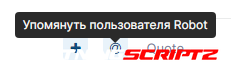
The Click to Mention plugin adds to the site the ability to quickly mention the user by clicking on a special button next to his name or message.
This allows you to avoid typing the @ symbol and the first letters of the user name.
You can choose which groups can see this button, as well as enable/disable its display in your own messages.
Available places to display the button:
1. Before, in the center, or at the end of the quote bar (@ button).
2. Before or after the user name (the @ button).
3. Instead of a username (clickable name).
Compatibility: 4.6.x
-
 1
1
You may only provide a review once you have downloaded the file.
There are no reviews to display.