




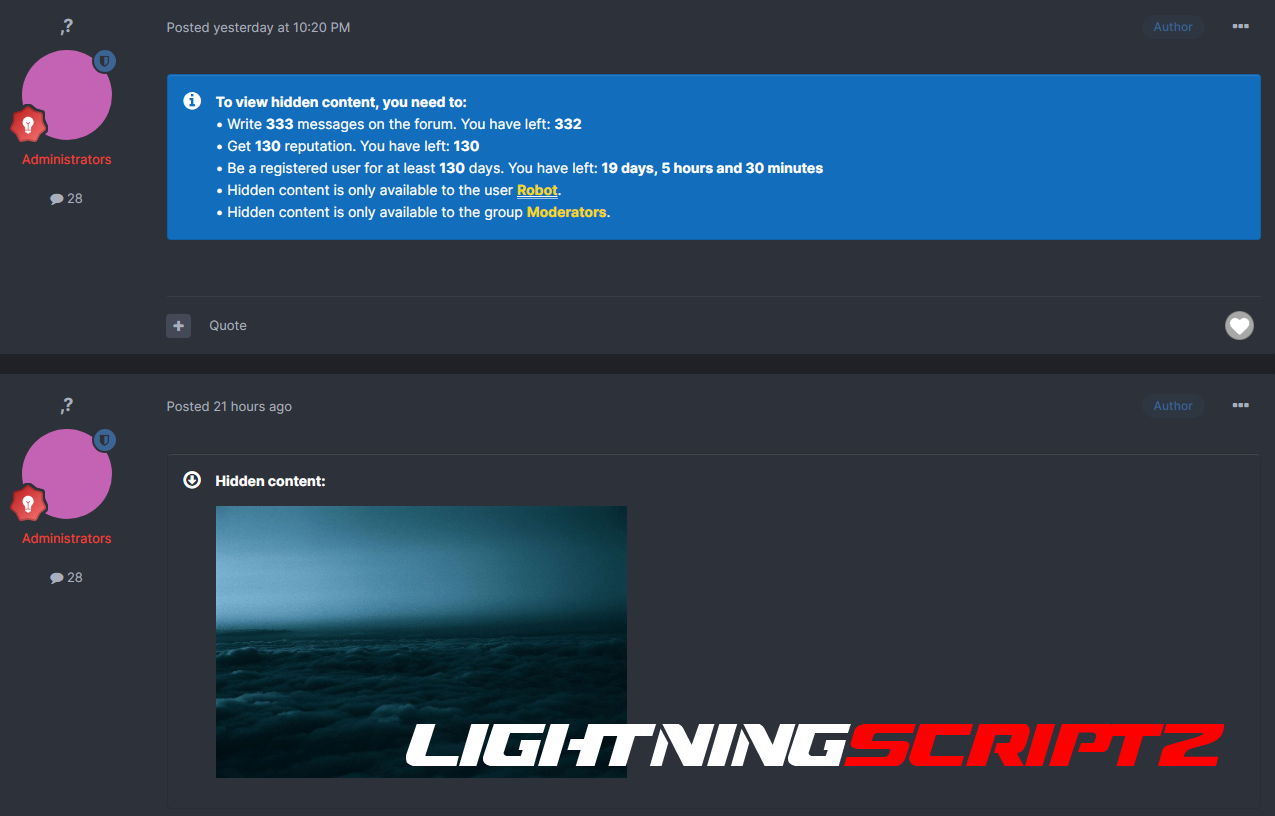


Plugin to hide content from prying eyes.
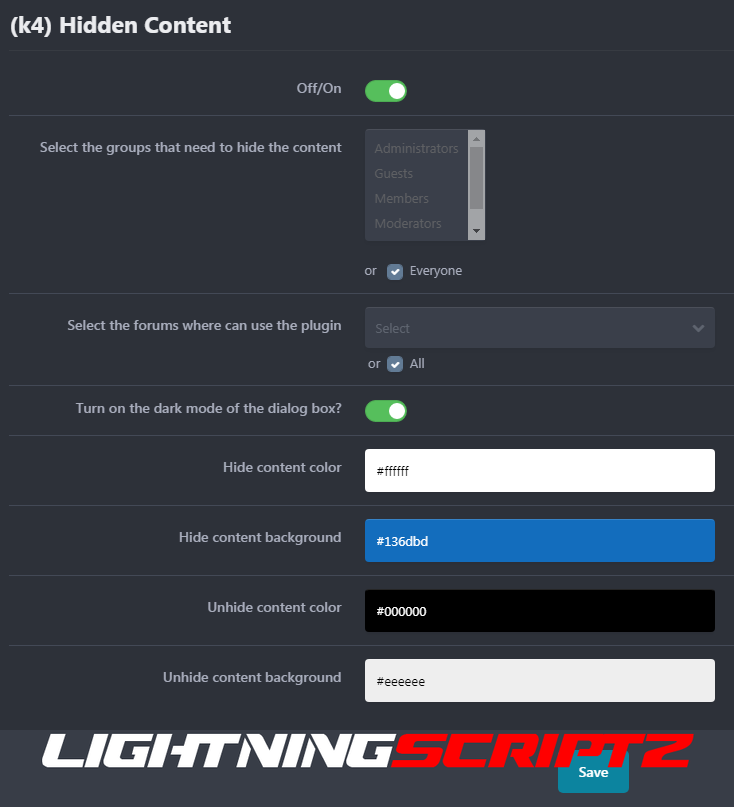
Plugin settings in the 2nd screenshot. Customize or leave as is.
Select the groups you want to hide content for. (default: hides for everyone)
Select the forums where you want to hide content. (default: hides for everyone)
Select a light/dark mode for the button window. (default: standard light (3-4 screenshots))
Customize the block colors and text of hidden content.
Set the button for CKEditor.
Install from path: https://yoursite.ru/admin/?app=core&module=editor&controller=toolbar&do=addPlugin
To use the plugin without a button:
Specify all properties in the [hide][/hide] tag.
Example: [hide p=10 r=10 f=10 j=10 m=10 g=10]hidden text[/hide].
p=10 - number of posts.
r=10 is the number of reputations.
f=10 - number of files.
j=10 - number of days of registration.
m=10 - User ID.
g=10 - Group ID.
The tag can also be used without properties.
Example: [hide]hidden text[/hide]. In this case, viewing will be limited to guests only.
Compatibility: 4.4-4.6.
PHP: 7-8.
-
 1
1
You may only provide a review once you have downloaded the file.
There are no reviews to display.