




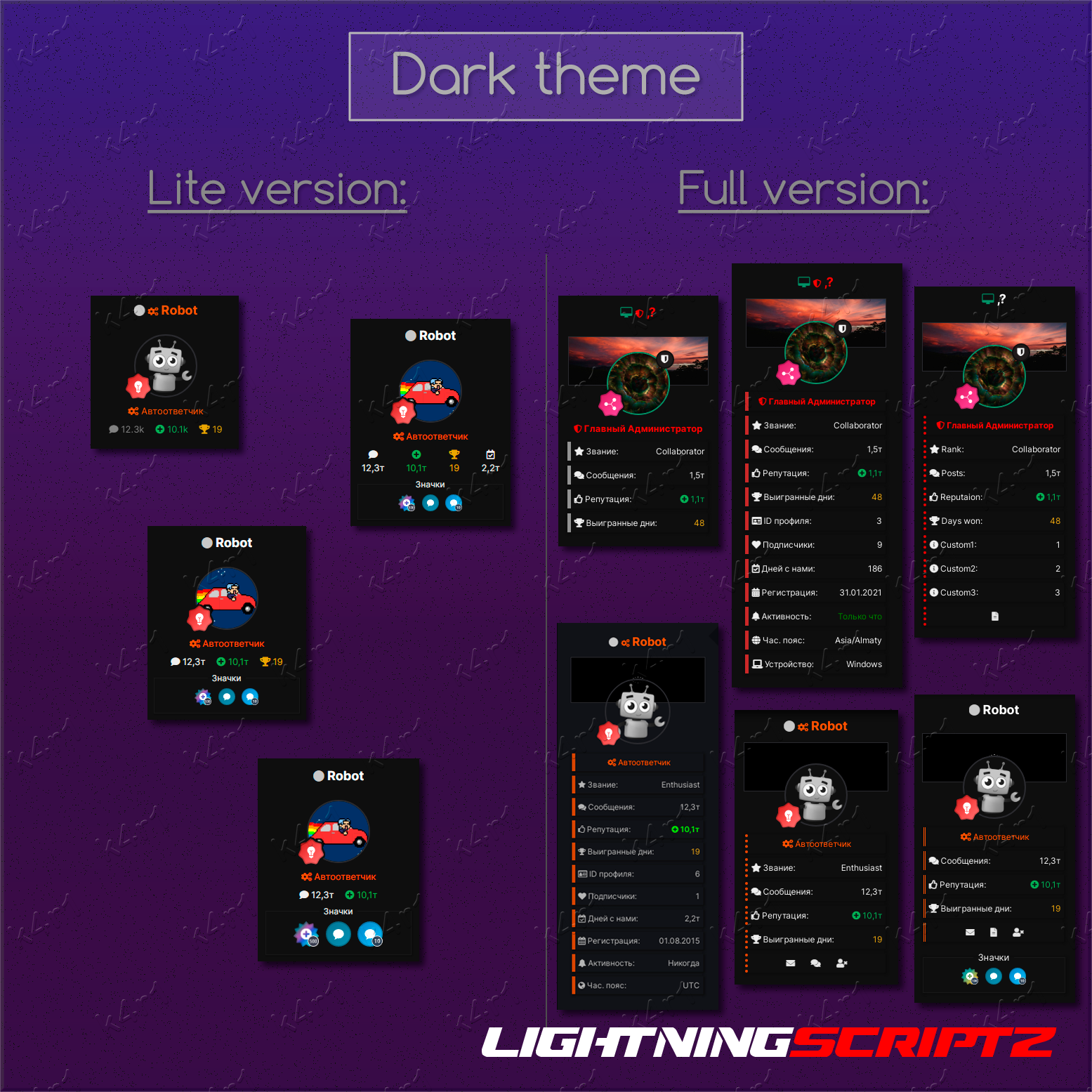
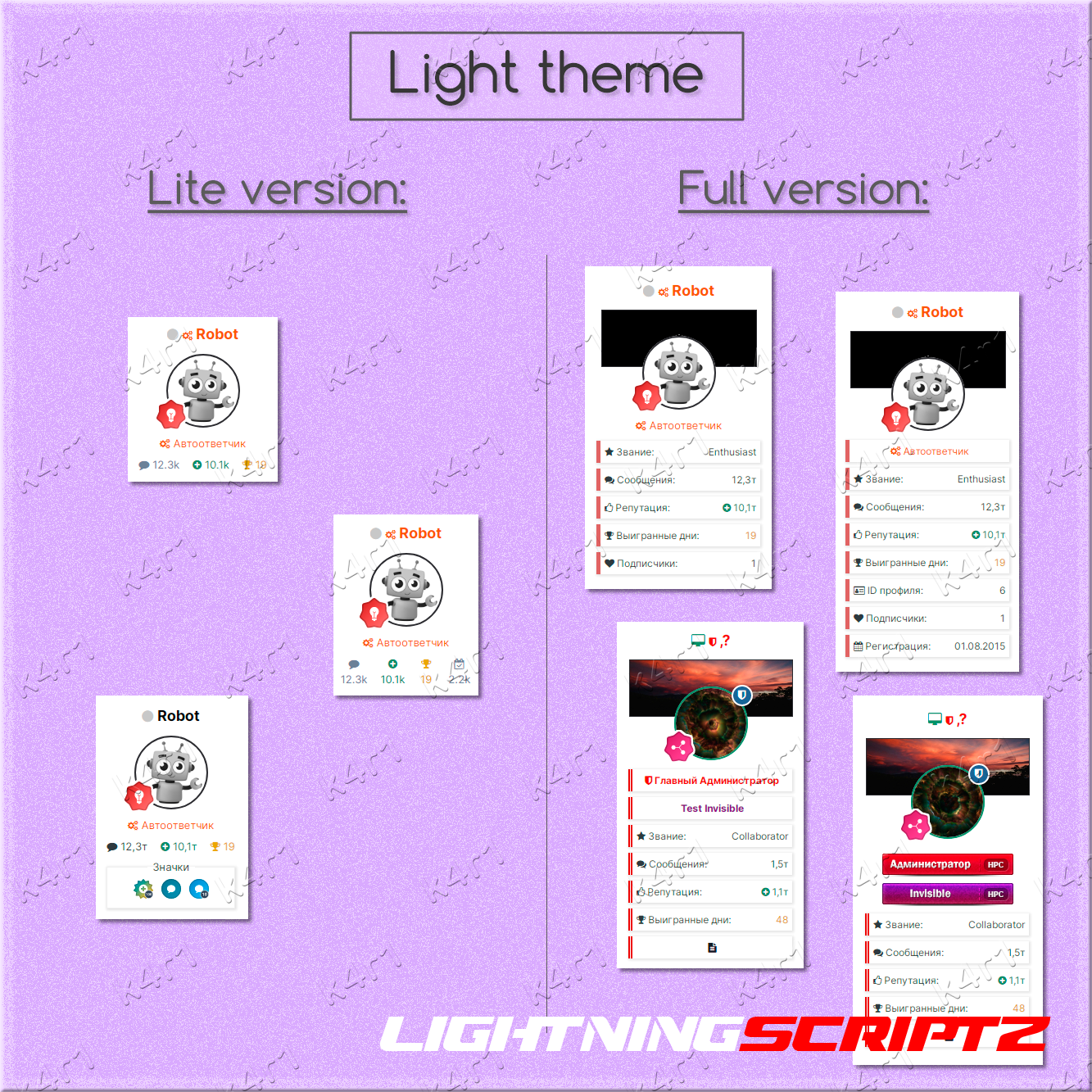
Plugin to add reputation information, days won, etc. to the user's dashboard in the topics.
There are settings for selecting the desired display elements.
The settings are divided into two sections - Abbreviated and Full.
Abbreviated include:
- Standard design of the postcontainer.
- Number of posts.
- Number of topics.
- Number of reputations.
- Number of decisions.
- Number of days won.
- The number of registered days on the forum.
- Custom fields.
- Achievement badges.
- Progress rank.
In full:
- Non-standard postcontainer with tiles.
- Adjust shadows for dark and light themes.
- Add a profile background.
- Hide the standard group (name + icon).
- Hide a standard group (name).
- Add a group.
- Add a secondary group.
- Add a rank.
- Number of posts.
- Number of topics.
- Number of reputations.
- Number of decisions.
- Number of days won.
- Number of subscribers.
- The number of registered days on the forum.
- Date of registration.
- The ID of the profile.
- The last activity on the forum.
- Time zone.
- The sign-in device.
- Custom fields.
- Additional panel with sending drugs, adding to the emergency, etc.
- Achievement badges.
- Progress rank.
- Flexible postcontainer settings.
Tested on templates: Standard, Magnum, Fluent.
Compatible with: Advanced Online Indicator.
Recommendations: For correct operation, it is desirable to have a standard postcontainer.
-
 1
1
-
 1
1
You may only provide a review once you have downloaded the file.
There are no reviews to display.