




Donations 3.5.4 - Invision Community
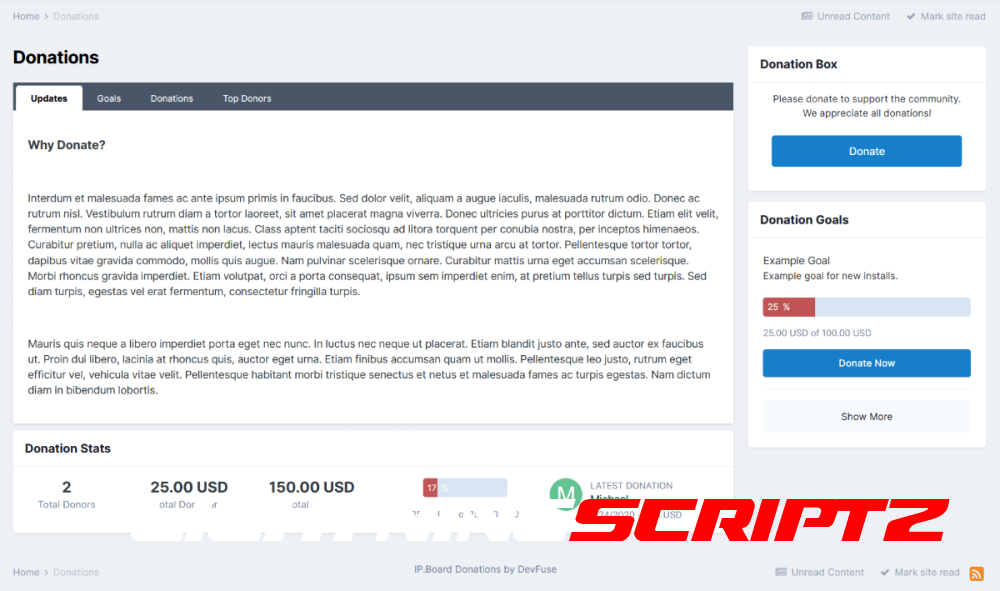
Help fund your forum with donations, setup goals and track member donations. Offer rewards for members donating.
Features
NEW Support for custom fields with donations.
NEW UI tab and widget improvements and enhancements.
Option to automatically demote a member back to his original member group x days after there donation.
Option to mark goals as achieved and remove them from listing after they have reached 100% donations.
Option to create goals that are continuous and have no set end date.
RSS feeds for latest donations and latest goals listings.
Ability to track the individual status of each goal as members choose to donate to there preferred goals.
Setup fixed donation amounts a member can donate or let the member choose the amount. This includes a minimum donation amount allowed.
Group permissions for who can view the donation tracker, view goals, view donations and for who can donate.
All payment data is logged including successful and unsuccessful attempts on the payment function.
New discussion topic created for each new successful donation.
Ability to track the top donors in the view top donors page.
Payment gateways included are: Paypal, Skrill, Payza (Alert Pay), Offline Payments and Paymentwall.
-
 3
3
-
 1
1
You may only provide a review once you have downloaded the file.
There are no reviews to display.