



Skip to content
View in the app

A better way to browse. Learn more.

Lightning Scriptz

A full-screen app on your home screen with push notifications, badges and more.

To install this app on iOS and iPadOS
  1. Tap the Share icon in Safari
  2. Scroll the menu and tap Add to Home Screen.
  3. Tap Add in the top-right corner.
To install this app on Android
  1. Tap the 3-dot menu (⋮) in the top-right corner of the browser.
  2. Tap Add to Home screen or Install app.
  3. Confirm by tapping Install.
***You must have 1 (no bullshit) post to download files, and you are only allowed 1 file per day.***

Hide it 5.0.9

(0 reviews)

6 Screenshots

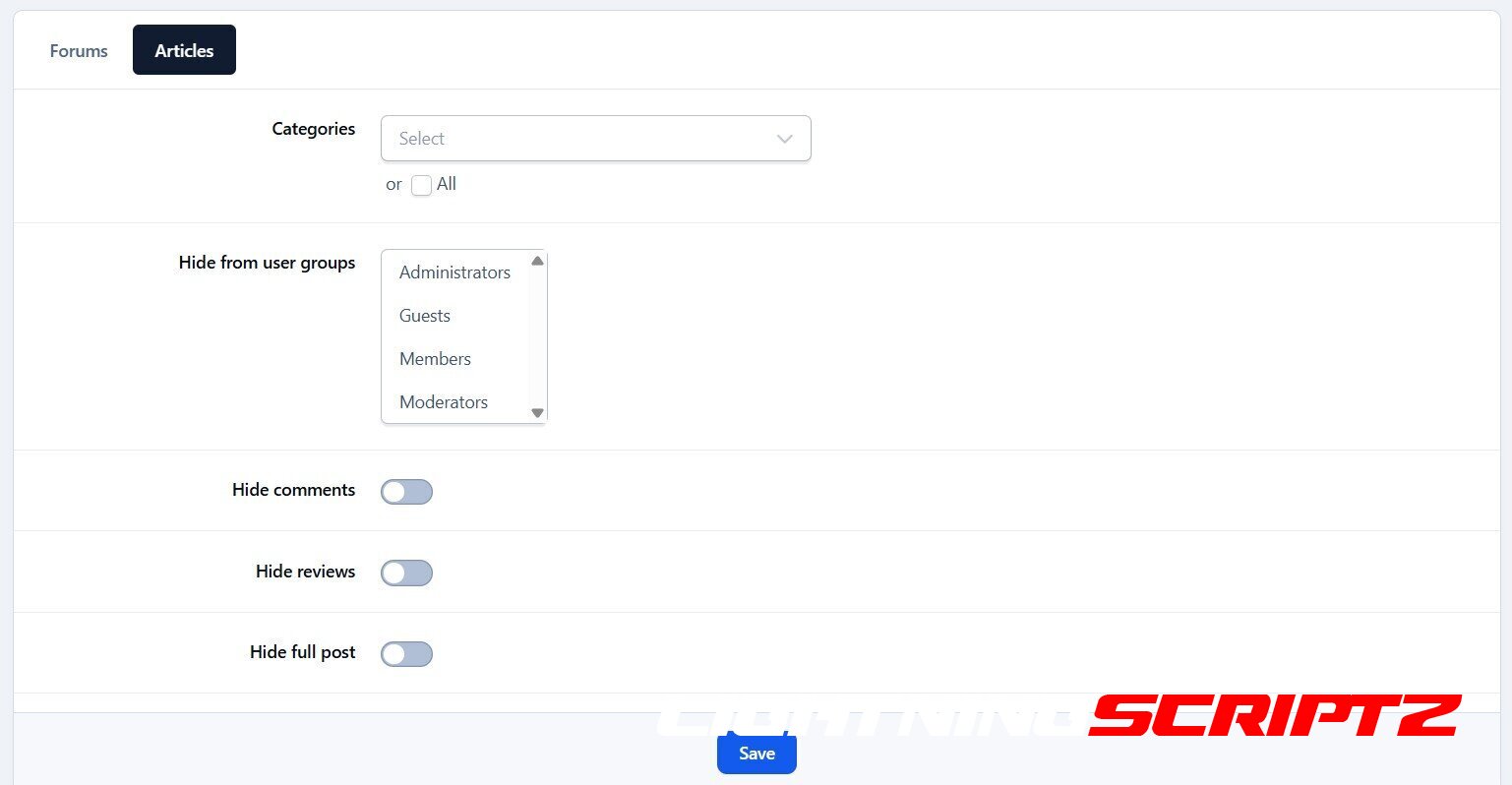
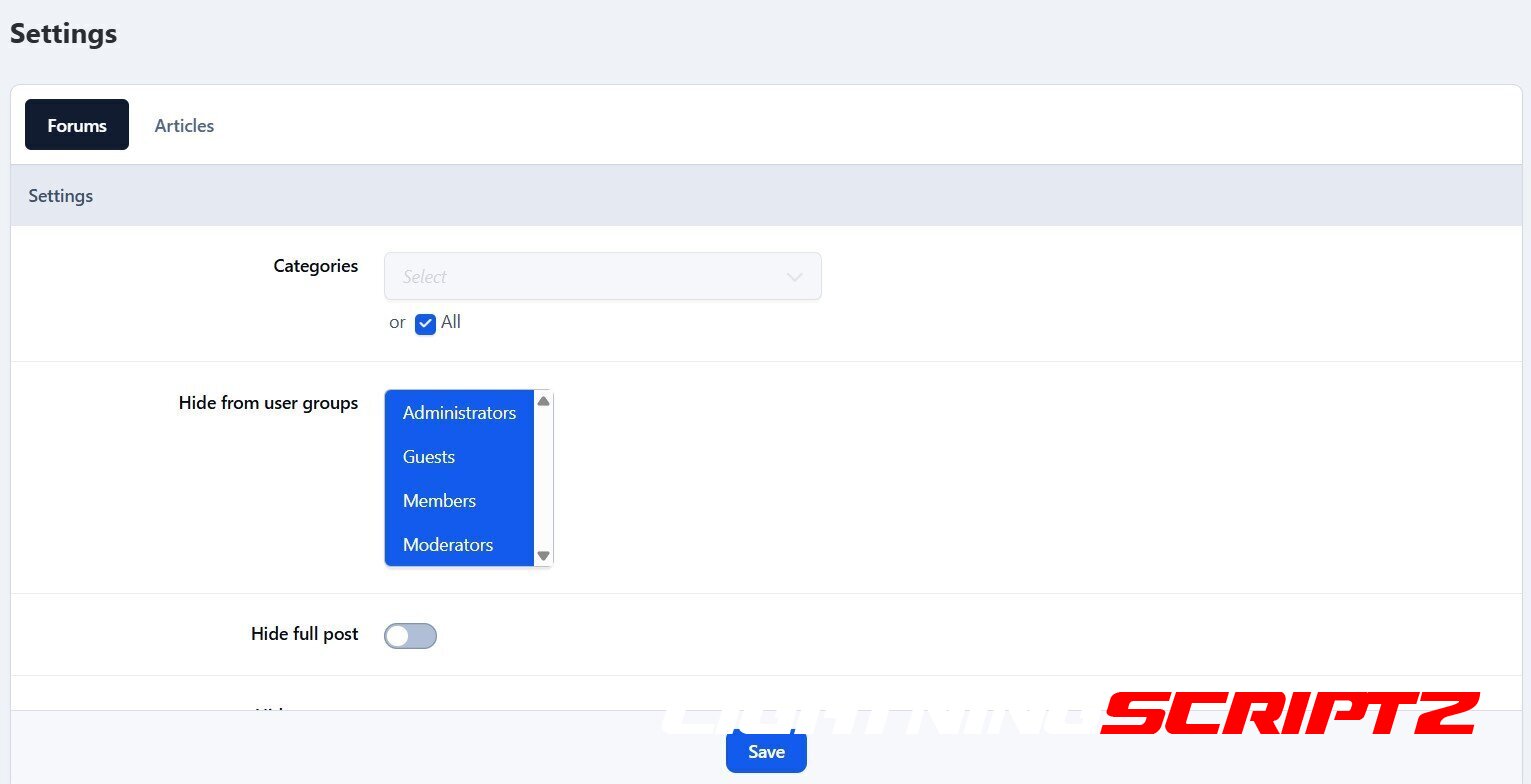
The Hide it application allows hiding content from posts in ForumsPages and Downloads. It supports selectively hiding specific sections or entire posts.

This application does not work on IPS Cloud because it requires editing PHP files.

Features:

  • Select databases and categories for hidden content.

  • Specify user groups for hidden content.

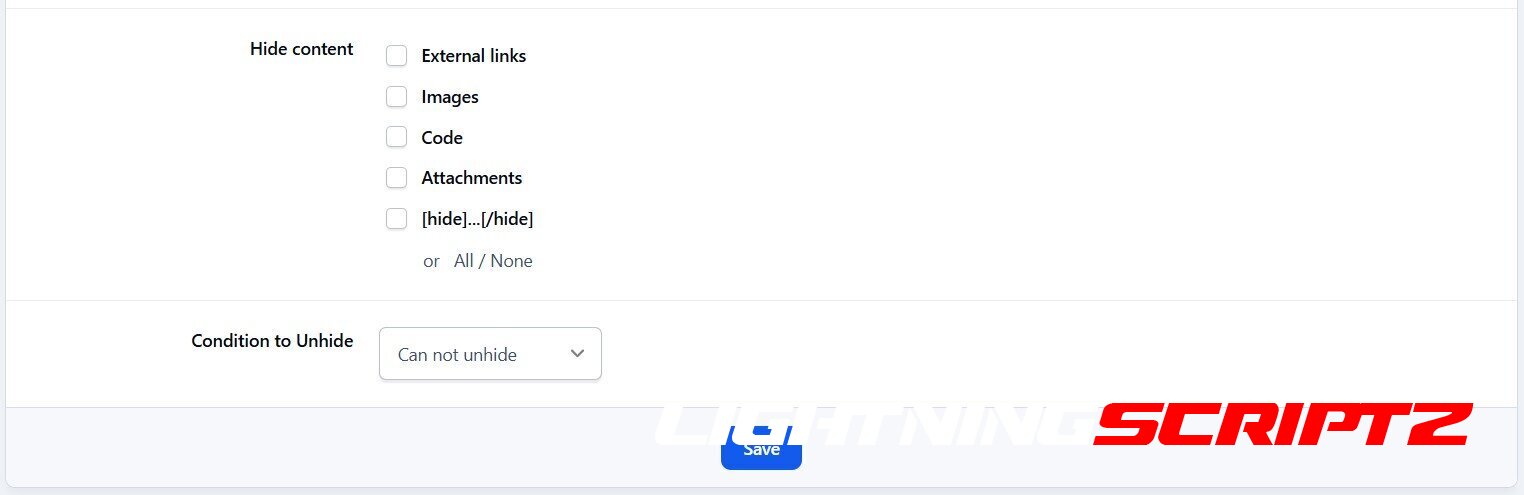
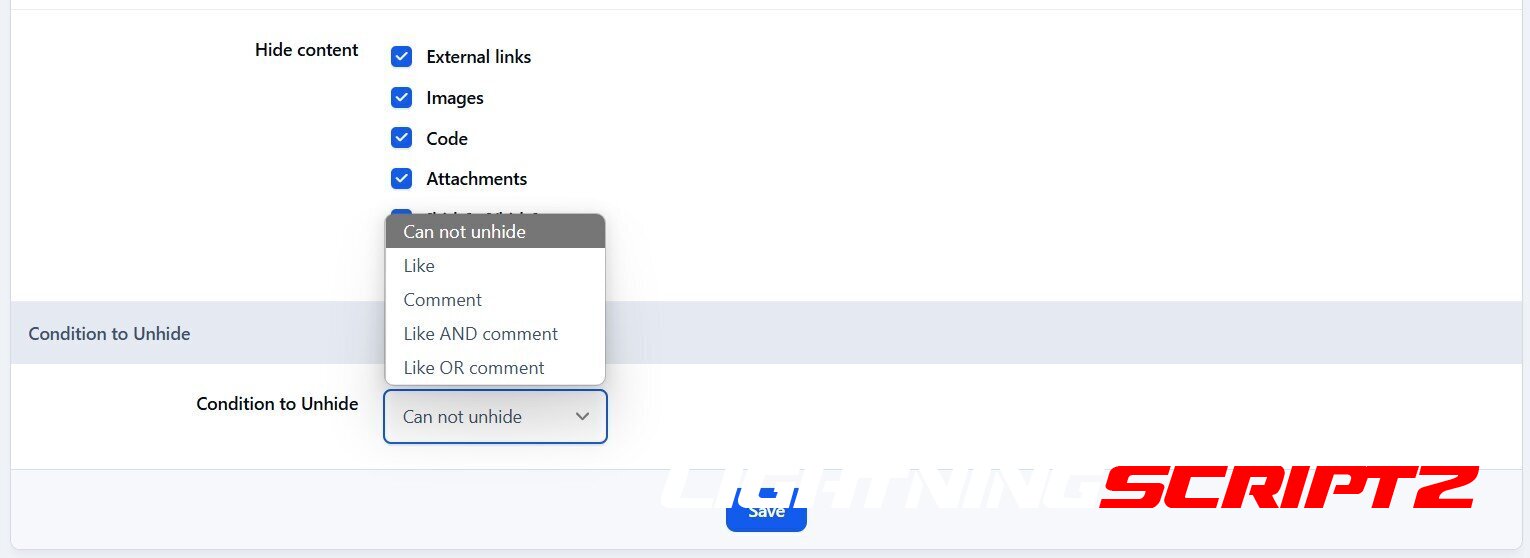
  • Options for hiding specific content: links, images, attachments, code, or the entire post.

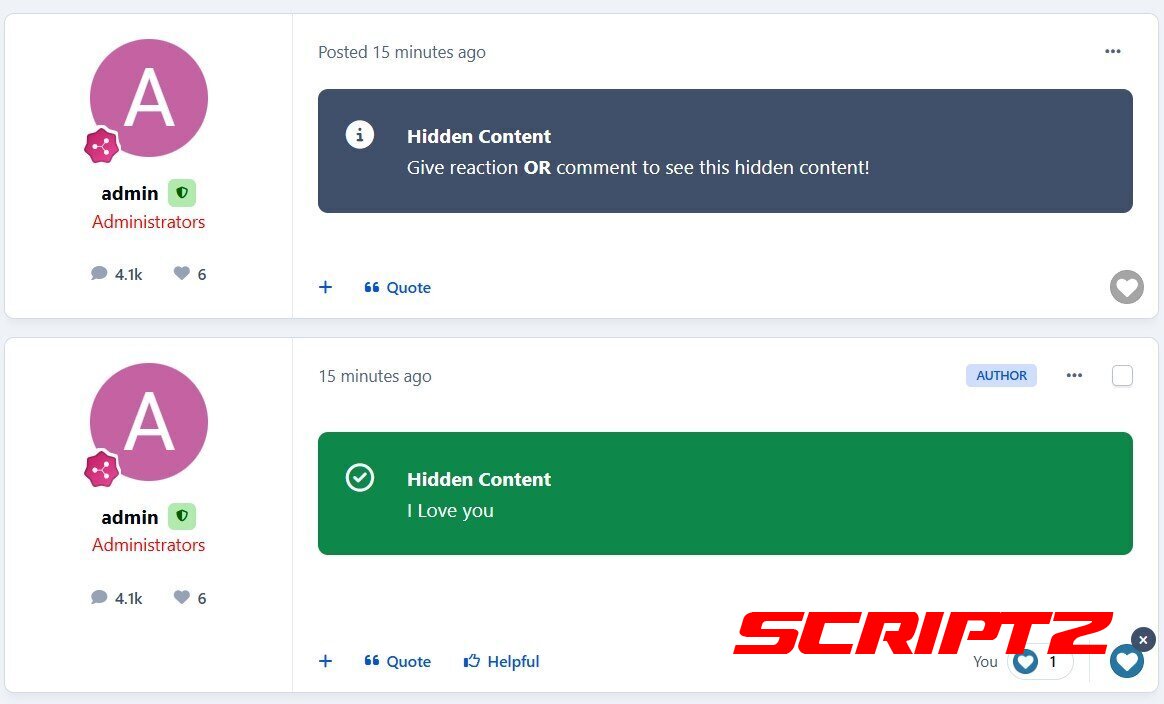
  • Options to unhide content:

    • Give a reaction

    • Leave a comment

    • Reaction or comment

    • Reaction and comment

  • Reload content in ajax after giving reaction to unhide content without reloading page.

What's New in Version 5.0.9

Released

No changelog available for this version.

User Feedback

You may only provide a review once you have downloaded the file.

There are no reviews to display.

Account

Navigation

Search

Search

Configure browser push notifications

Chrome (Android)
  1. Tap the lock icon next to the address bar.
  2. Tap Permissions → Notifications.
  3. Adjust your preference.
Chrome (Desktop)
  1. Click the padlock icon in the address bar.
  2. Select Site settings.
  3. Find Notifications and adjust your preference.