


Skip to content
View in the app

A better way to browse. Learn more.

Lightning Scriptz

A full-screen app on your home screen with push notifications, badges and more.

To install this app on iOS and iPadOS
  1. Tap the Share icon in Safari
  2. Scroll the menu and tap Add to Home Screen.
  3. Tap Add in the top-right corner.
To install this app on Android
  1. Tap the 3-dot menu (⋮) in the top-right corner of the browser.
  2. Tap Add to Home screen or Install app.
  3. Confirm by tapping Install.
***You must have 1 (no bullshit) post to download files, and you are only allowed 1 file per day.***

Fake Members (Formerly Traffic Generator) 1.0.0

(0 reviews)

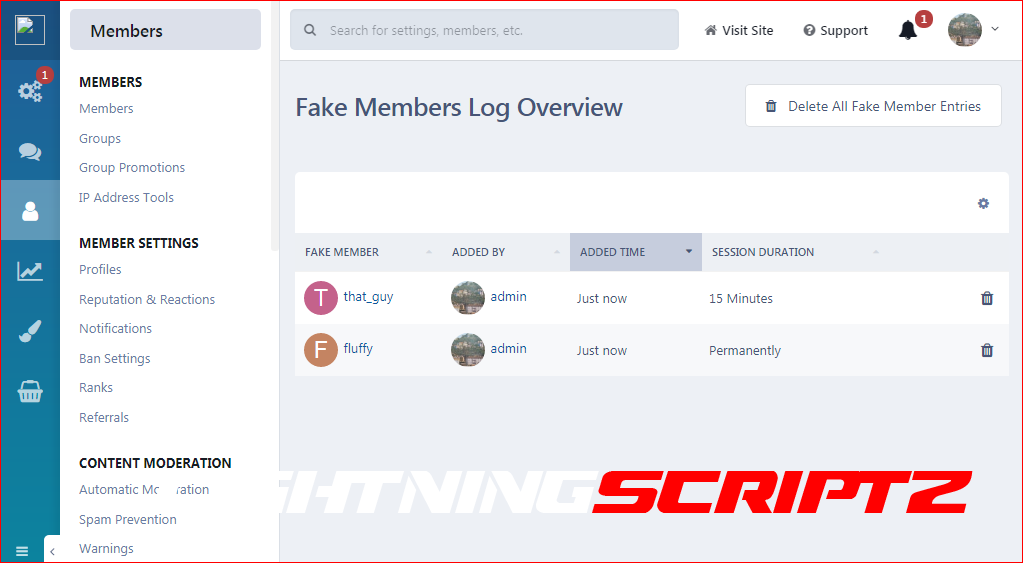
1 Screenshot

This app will allow the admins to add fake members in the online list. When you add a fake member online, you can also add the number of minutes that you want that particular member to be online. A task will run every half hour to remove the expired fake sessions from the online list. This can be very useful for start up forums as well as for those forums where there is not much activity. It will make the forum look busy and it might attract new users and boost the activity.

To keep things real, fake members will appear to read random topics, which they are allowed to view permission wise. You can select a certain forum or forums, whose topics you do not want to be showed up as being read from the fake members in the online list.

You can view all fake members that have been added to the online list at the app 's log page.

User Feedback

You may only provide a review once you have downloaded the file.

There are no reviews to display.

Account

Navigation

Search

Search

Configure browser push notifications

Chrome (Android)
  1. Tap the lock icon next to the address bar.
  2. Tap Permissions → Notifications.
  3. Adjust your preference.
Chrome (Desktop)
  1. Click the padlock icon in the address bar.
  2. Select Site settings.
  3. Find Notifications and adjust your preference.