Barry Brennan
Uploader
-
Joined
-
Last visited
Everything posted by Barry Brennan
-
 IPS4 playing style . What's New in Version 1.4.0 Updated to IPS 4.7.8 Update SwipeJS to 9.1.0
 -
 Checking Googlebot will take care of the fake googlebot agent user and block them, you can find https://support.google.com/webmasters/answer/80553?hl=en
 -
 The plugin will allow you to display and display the legend of your bands on the forum. 7.2 marked as compatible
 -
 The plugin shows information about the account balance in two areas: Heading. Page of information about the author. You can turn off the ability to display balance in the header and specify which groups can see the balance in the author information pane. The plugin shows all the currencies you have created in Commerce.
 -
 Anti-spam protection based on cloud anti-spam service CleanTalk.org for IPS Community Suite Possibilities: Stop spambots when registering with the community. Stop spambots when trying to publish topics. Contact form protection (CAPTCHA should be disabled!) Allow guest posting on the forum without CAPTCHA.
 -
 Avatar Hub – Allows a community administrator to upload preset images that community users can select as their profile picture. Functions Upload images by category. Groups with access to select your profile picture from the Avatar Hub. Enable photo selection on the registration form. Select the selection method: Upload Form and/or Avatar Hub.
 -
 Bot Blackhole is a tool that stops annoying naughty web bots from infiltrating where they have nothing to do. BBH places a small link trap on your website, and if a bot follows that link, it falls into the trap and has nowhere else to go. BBH logs all bots trapped in this trap so you can decide if they will stay or be reset as an IP ban. This can be done through the settings. Webmasters can also receive emails every time a bot is blocked/banned. You can add IP addresses to your whitelist to prevent them from being blocked. All IP addresses are blocked using the Invision Administrator Lockout Settings.
 -
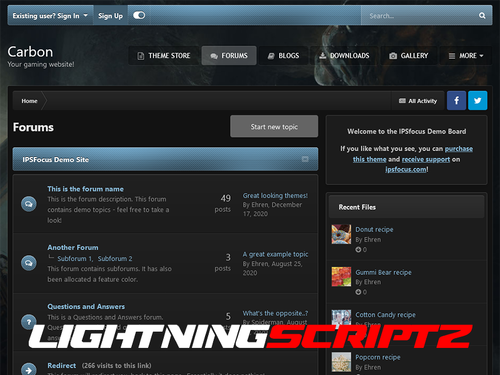 What's New in Version 4.7.2 No changelog available for this version.
 -
 Titan is the ultimate gaming theme, based upon a large wallpaper image which is blurred behind textured navigation and category bars. Assign up to 6 background images via the theme settings to completely change the colour scheme, and let your members choose their favourite from a predefined selection!
 -
 Apps uses spotify's API to capture data from artists to your website. NOTE: SPOTIFY NO LONGER PROVIDES ARTIST BIOGRAPHIES, PHOTOS, AND MONTHLY HEARINGS IN ITS API ENDPOINTS. YOU'LL HAVE TO GET THE BIO ELSEWHERE (Google, Wikipedia, official website, etc.) AND PASTE IT INTO THE EDITOR. All you have to do is enter a word from the artist's name, after which a list of matches will appear. From now on one click you will have after submitting the form:
 -
 An application for managing multiplayer game servers
 -
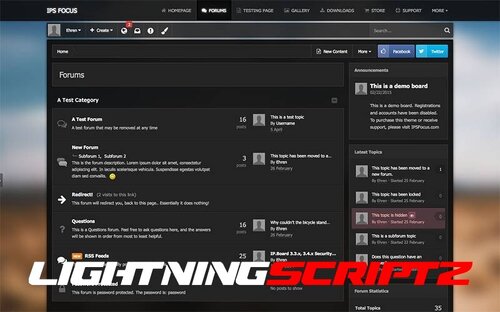 Villain is a dark, translucent style that includes background selection, allowing your users to choose their own image from preset background images. Style version : 4.6. ,4.7
 -
-
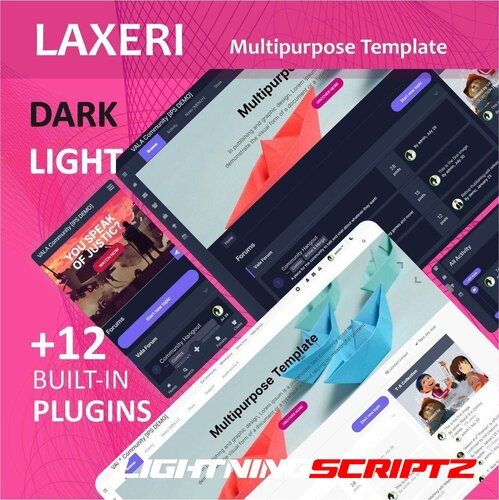 This template is prepared in two modes: dark and light, with the ability to change the color in two palettes, the default palette (similar to IPS) and the VALA palette (powerful color adjustment, which changes the color of the entire template by changing a few colors). This template also has 12 plugins that include: top bar, pop-up, sidebar menu, call to action (CTA), scroll up, bottom navigation, download, search overlay, slideshow, dark and light switcher, share bar, and footer. The following elements are also customizable: buttons, links, forums, topics, posts, navigation, profile picture, mobile navigation bar, main theme customization.
 -
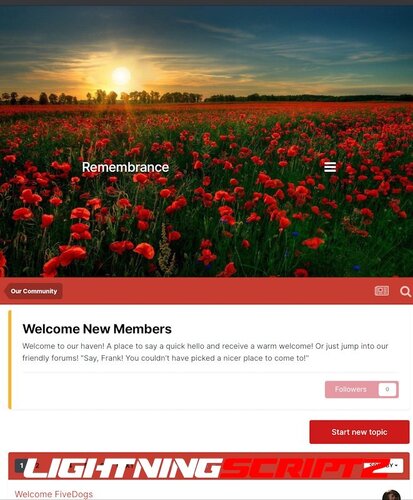 IPS Remembrance 4.7 is a clean poppy-themed design originally created for occasions such as Remembrance Sunday, Armistice Day, etc., but it can also be used year-round. Remembrance has a thoughtful header background image that you can easily replace with custom theme settings. Most buttons and links are decorated in poppy tones on a simple white background. Custom theme settings include options for: Change the background image of the header – simply upload your own cover image or delete it to return to the provided image. Adjust the top and bottom indents in the header area to adjust the position of your site title and menu. Adjust the height of the header. Easily adjust the height of the displayed header area if you prefer a larger or smaller image. Enable or disable DNS prefetching of Google web fonts.
 -
 This is an AJAX based chat application that does AJAX calls to the server to get new messages. Main Features Rooms (with embed option) Dedicated guest room with nickname support Archive with search criteria Top chatters page Private conversations Sound, desktop & browser tab notification Global user commands (21 commands that you can manage and you can also add you own custom commands) Custom user commands (Can be used to set predefined messages/responses via command) User settings User status User group permissions User sanctions (Mute/Kick/Ban) User image uploads Style properties Lots of admin options to enable/disable certain features Bot notifications for new threads, new posts, new users, new Resource Manager resources, new Media Gallery albums/media/comments Bot responses that can be trigger by predefined keywords Bot messages that are posted automatically at set time/date Display notices in rotation (can be edited via the built in rich text editor) Display ads in rotation Set chat rules page Rooms widget Top chatters widget Active users widget Display "Who is typing" in both rooms and conversations Chat is loaded as a widget and you can customize the widget to load the chat at certain times on certain devices. Chat uses the built in XenForo rich-text editor and you can disable individual buttons/BB codes.
 -
 Featured groups Profile Settings Possibility to set an "icon" in the profile Choosing a badge design Theme settings Ability to set tape in replies Home page settings Possibility to set an icon on the main page Premium page settings Column customization option Choose a background color and text for the resolutions Select an icon for permissions List of permissions that appear on the subpage See the board Display name changes Combating search flooding You can ignore Can publish anonymously Hide online list Can download attachments Maximum storage per upload Can delete attachments Can create surveys You can vote in polls Can close its own polls Highlight replies You can use tags Can use prefixes You can change the rating Can give star ratings for content Can edit its own content Can be edited silently Can hide your own content Can delete its own content Maximum number of content items (posts, comments, etc.) Bypass automatic moderation Can block and unblock your own content Bypass flood protection Bypass content moderation Can be promoted on social networks Can edit profile information Allow animated profile pictures You can download the cover Maximum cover size Can view display history Conversations allowed to start on the day Conversations allowed to start per minute Maximum number of recipients per conversation Call retention quota Can download attachments to messages Override recipient storage quota Maximum number of reactions that can be given You can see who reacted Can post status updates Can import status updates And group permissions from the Members Shop app
 -
 The plugin formats the user's nickname in his profile. By default, Nickname is not formatted. IPS 4.7 test compatibility. No new feature; no change.
 -
 New Year's garland as in ya.ru, made in the form of a ready-made plug-in. When you click on the garland, it turns on/off. There is a mode for dark themes. For use elsewhere in the forum, you can disable the plugin setting and insert the template directly into the theme: {template="garland" group="plugins" location="global" app="core"} IPS Version 4.7
 -
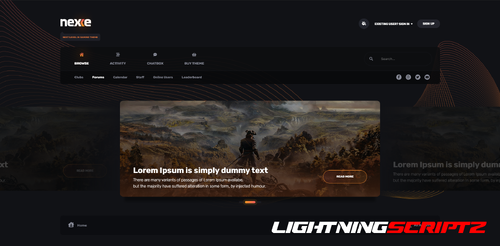 ⚡ Nexxe Theme⚡ ( IPS version 4.6 ) Template with a choice of ( light/dark ) color versions. Colors and sizes using CSS Vars. Choosing the font color, the theme has many settings and can be fully customized. It's perfect for all forums, beautifully displaying all site content. Possibility to change header, slider, navigation, popus, forms, comments and much more. What's New in Version 1.1.2.1 Updated template to IPS v4.7.5
 -
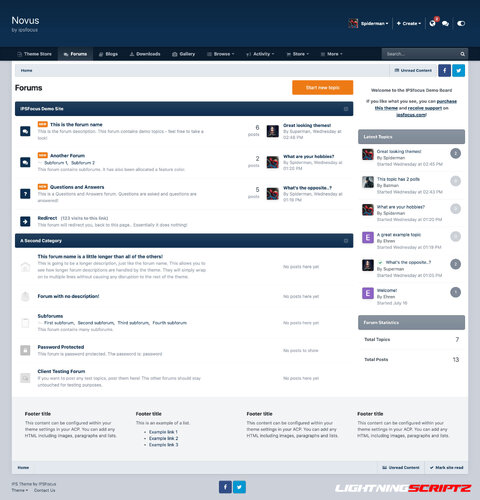 Novus is a clean, modern theme with a professional color scheme, drop-down menu, and sticky navigation. An additional background selection allows your visitors to customize the theme to their liking! This theme is built on a modern framework with minimal HTML changes, which means it will be easily (and usually automatically) updated between IPS versions.
 -
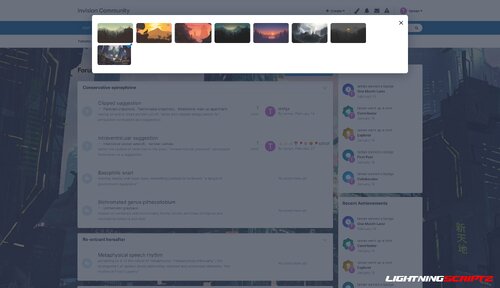 This app allows you to set background images for the main element of your theme. IPS Version 4.7
 -
 Today, we are releasing XenForo 2.2.11 to address a potential security vulnerability. We recommend that all customers running XenForo 2.2 upgrade to 2.2.11 or use the attached patch file as soon as possible. The issue relates to HTML attribute injection which can be triggered when rendering editor content, such as when a post is edited or quoted
 -
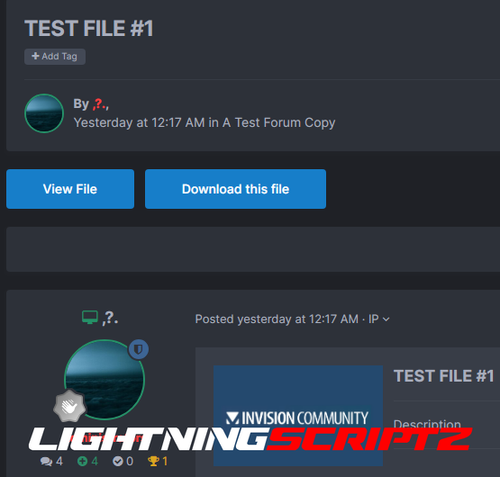 A simple plugin that adds buttons to go to the file and download the file from the support themes. When you read the topic of file support on any page other than the first, it is not possible to go back to the file, you need to return first to the first page and then to the file itself, this plugin solves this inconvenience. In the settings, only the inclusion of each button. What's New in Version 1.1.0 Name changed. Removed position selection. Added template and css. Added file download button. IPS Version , 4.7
 -
 Acme Theme Choosing the font color, the theme has many settings and can be fully customized. It's perfect for all forums, beautifully displaying all site content. Possibility to change header, slider, navigation, popus, forms, comments and much more. What's New in Version 1.2.2 Updated the theme to IPS v4.7.1 Fixed Search Bar UI