





Barry Brennan
Uploader
-
Joined
-
Last visited
Everything posted by Barry Brennan
-
 XenForo 2.2.10 Released XenForo 2.2.10 is now available for all licensed customers to download. We strongly recommend that all customers running previous versions of XenForo 2.2 upgrade to this release to benefit from increased stability. This version contains a fix for an issue whereby outgoing requests from the server running XenForo could be tricked into accessing web-accessible resources on the local network. The scope to exploit this issue is limited within the core and first-party add-ons. 2.2.10 will be one of the last releases of the 2.2.x series before we move 2.3.0 to beta, but we do have a handful of things coming late to 2.2.x before that happens, including some enhanced cookie consent features to comply with the ever-evolving field of privacy legislation, and some enhanced performance-boosting functionality for Entities and Finders for developers. More details on those soon. Of course, 2.2 will continue to be supported and maintenance releases will be made periodically throughout the 2.3.0 beta process and as always we will issue patches and fixes for any critical issues in 2.2 even after 2.3 becomes our primary, supported version. Some of the changes in XF 2.2.10 include: Require values for old/new changelog values Properly handle null values within the Arr::stringToArray() function Remove extraneous space when generating a one-time password URL Support rebuilding daily stats from the command line Add additional indexes for the active and expired user upgrade tables Remove superfluous code setting aria-label for tooltips Add lazy loading attribute to resource icons Pass an index hint when performing certain IP lookups The following public templates have had changes: core_block.less poll_create poll_edit poll_macros tag_macros widget_forum_statistics Where necessary, the merge system within the "outdated templates" page should be used to integrate these changes. Current requirements Please note that XenForo 2.2 has higher system requirements than earlier versions. The following are minimum requirements: PHP 7.0 or newer (PHP 8.0 recommended) MySQL 5.5 and newer (Also compatible with MariaDB/Percona etc.) All of the official add-ons require XenForo 2.2. Enhanced Search requires at least Elasticsearch 2.0. Installation and upgrade instructions Full details of how to install and upgrade XenForo can be found in the XenForo 2 Manual. We strongly recommend upgrading directly from within your control panel.
 -
 Adds live forum threads using websockets. [MMO] Centrifugo must be installed for the add-on to work. You can set rights for groups who will have live threads. Requires [MMO] Centrifugo
 -
 Adds integration with Centrifuge. Centrifugo is a self-hosted service which can handle connections over a variety of real-time transports and provides a simple publish API. Centrifugo integrates well with any application – no need to change an existing application architecture to introduce real-time features. Just let Centrifugo deal with persistent connections. Great performance Centrifugo is built in Go language with some smart optimizations inside. It has good performance – test stand with one million WebSocket connections and 30 million delivered messages per minute with hardware comparable to one modern server machine. Feature-rich Many built-in features can help to build an attractive real-time application in a limited time. Centrifugo provides different types of subscriptions, hot channel history, instant presence, RPC calls. There is also the possibility to proxy connection events to the application backend over HTTP or GRPC and more. Built-in Redis, KeyDB, Tarantool engines, or Nats broker make it possible to scale connections over different machines. With consistent sharding of Redis, KeyDB, and Tarantool it's possible to handle millions of active connections with reasonable hardware requirements. Used in production Started almost 10 years back then Centrifugo (and Centrifuge library for Go it's built on top of) is a mature server successfully used in production by many companies around the world: Badoo, Ably, ManyChat, Grafana, and others. What is real-time messaging? Real-time messaging can help building interactive applications where events can be delivered to users almost immediately after being acknowledged by application backend by pushing data into persistent connection – thus achieving minimal delivery latency. Chats, live comments, multiplayer games, streaming metrics can be built on top of a real-time messaging system. Centrifugo handles persistent connections from clients over bidirectional WebSocket, SockJS, and unidirectional SSE (EventSource), HTTP-streaming, GRPC transports and provides API to publish messages to online clients in real-time. Scalability Another important thing is scalability. As your application grows — more and more users will establish persistent connections with your real-time endpoint. A modern server machine can handle thousands of open connections but the power of one process is limited — you will eventually run out of available CPU or memory. So at some point you may have to scale user connections over several machines. Another reason to scale connections over several machines is high availability (when one servers out of order). There are many real-time messaging solutions on Github and paid online services. But only few of them provide scalability out of the box — most of them work only in one process. I don’t want to say that Centrifugo is the only server that scales. There are still many alternatives like Socket.IO, SocketCluster, Pushpin and tons of others. My point is that possibility to scale is one of the main things you should think about when searching for real-time solution or building it from scratch. You can’t really predict how fast your app will run out available resources on single machine — software scalability is not a premature optimization and in most cases having scalable solution out of the box will simply give you more room for improving application functionality. Many online services are capable to scale too. But look at pricing — most of those solutions are rather expensive. In case of pusher.com you are paying 500$ in a month but only get 10k connections max and strongly limited amount of monthly messages you should care about. This is ridiculous. Of course Centrifugo is self hosted and you must spend your server’s capacity to run it. But I suppose the cost is not comparable in many cases. Centrifugo scales well with Redis PUB/SUB, supports application-side Redis consistent sharding out of the box and integrates with Redis Sentinel for high availability. We served up to 500k connections with Centrifugo having 10 Centrifugo node pods for connections in Kubernetes and only one Redis instance which consumed only 60% of single processor core! There is also an ongoing pull request that adds possibility to scale PUB/SUB with Nats server as broker.
 -
 Introduce After a period of using XenForo 2, I found its default Widgets feature, though good, but lacking many necessary functions compared to the Widget Framework of XF1. So I decided to make this add-on to add & improve some of the available Widgets. Main features Additional widgets (also updated in later versions) [DC Style] New Threads (more options) Can sort by views, comments, most likes You can choose between sticky or non-sticky posts, or both Multiple Widget style options (Narrow, Wide & Slide, or Custom template written by you) Limit time by day You can choose the same forum post, or custom forum It is possible to edit the posts of all members, the same topic post, or certain members (v1.0.0 beta 2) Can option only get Promote (v1.1.0 beta 1). Note: Requires addon [DC Style] – Thumbnail to display additional widget templates. [DC Style] Random Threads (v1.0.0 beta 2) You can choose between sticky or non-sticky posts, or both Multiple Widget style options (Narrow, Wide & Slide, or Custom template written by you) Limit time by day You can choose the same forum post, or custom forum It is possible to edit the posts of all members, the same topic post, or certain members Can option only Promote post (v1.1.0 beta 1) [DC Style] Facebook Fanpage Installation Decompression Upload the src folder to public_html Go to AdminCP -> Add-ons and insta
 -
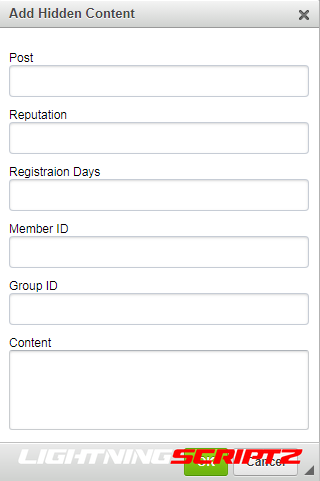 Plugin to hide content from prying eyes. Plugin settings in the 2nd screenshot. Customize or leave as is. Select the groups you want to hide content for. (default: hides for everyone) Select the forums where you want to hide content. (default: hides for everyone) Select a light/dark mode for the button window. (default: standard light (3-4 screenshots)) Customize the block colors and text of hidden content. Set the button for CKEditor. Install from path: https://yoursite.ru/admin/?app=core&module=editor&controller=toolbar&do=addPlugin To use the plugin without a button: Specify all properties in the [hide][/hide] tag. Example: [hide p=10 r=10 f=10 j=10 m=10 g=10]hidden text[/hide]. p=10 - number of posts. r=10 is the number of reputations. f=10 - number of files. j=10 - number of days of registration. m=10 - User ID. g=10 - Group ID. The tag can also be used without properties. Example: [hide]hidden text[/hide]. In this case, viewing will be limited to guests only. Compatibility: 4.4-4.6. PHP: 7-8.
 -
 Plugin to generate fake traffic on the forum. Remake of the Invisionizer plugin. For the most part, updated and changed. Fixed work on IPS 4.6. Fixed work on PHP 8. Fixed the generation of browsers and their versions. The pool of generated browsers has been expanded and their versions have been updated to the latest ones. Removed some locations for visiting participants and guests. Added the ability to change the interval of traffic generation. Added the ability to issue achievements for registration days and daily visits. Added the ability to generate a random amount of traffic. Added the ability to disable automatic deletion of generated sessions. That is, they will be deleted by the system, like normal sessions. It is better not to touch, I will remove it later, most likely. Compatibility: 4.6. PHP: 7-8. The plugin is still being tested, there may be errors, although at this stage I did not meet them again.
 -
 A number of helper utilities designed to ease add-on development, does not have any direct user-facing changes. Uploaded to the resource manager to aid dependency tracking and allow updating without updating every individual add-on.
 -
 [Andrew] Moderator Panel provides moderators enhanced visibility into user behavior and additional moderator features. The thought is that by providing better visibility to warnings, reports, thread bans, and ignores, moderators will be able to identify problem users faster and will rely less in impulse when making decisions on users. All features are permission controlled and can be enabled or disabled. Features: User file, similar to a criminal profile, this displays key metrics about an user all in one place. The user file can be accessed by either selecting user file from the member card dropdown or by searching for the user in the moderator panel. The follow is displayed within the user file: Current ban Warnings Reports Thread bans Ignored by IP Addresses Change log Require moderators to have "ban protected users" permission to ban users in a protected usergroup This can be used to prevent moderators from banning users that more senior staff should be involved in banning Can be enabled or disabled Require moderators to enter a reason for banning an user This benefits site staff who may not understand why an user was banned Can be enabled or disabled User data (reporting) Banned users Thread ban list Recently registered users Most warned users Most reported users Most ignored users Logs Moderator log - same from admin panel User change log - same from admin panel Reports and Approval queue will display the moderator sidebar Admin Options: Add link to moderator panel Adds links to the moderator menu Enable protected users Protected usergroup Require reason to ban Permissions: View moderator panel View IP addresses Ban protected users Search users View banned users list View thread bans View recently registered users View warned users View reported users View ignored users View moderator log View change log
 -
 This add-on will display the following stats: Latest Posts Latest Threads Hottest Threads (based on most replies in set interval) Most Viewed Threads Latest Forum News Latest Members Most Liked Users Top Thread Starters Most Liked Threads Most Popular Forums Top Resources Latest Resources Plus Many More in future updates - we're open to suggestions Auto-Refresh What's the point of having stats if they can't auto-refresh, right? - Stats will auto-refresh every X seconds (specified via admin setting) - Don't want to wait for the next refresh? No problem, simply click "Refresh Now" - Each user can also individually enable/disable auto-refresh Global Template/Custom Locations Support - Easily insert into any template/page by copying 1 line of code Full Control - Specify user groups allowed to view stats - Display the stats panel above or below the forums - Enable/disable each stat individually - Specify the amount of results to display per stat - Only show results from X forums, each stat has the option to specify which forum(s) to include - Exclude specific forums - Show/Hide Thread Prefixes - Set cutoffs in days Multi-Column Layout Want to display some stats on the mini column and others on the main column? You're free to choose the position and order that's best for you Show/Hide Stats Panel You can show or hide the stats panel with a single click, it'll remember your choice. How does it benefit you? Instantly boost user engagement Find 10+ types of advanced stats and the updates you need in one place No more having to to constantly refresh the page Enhance your forum's attractiveness Quick and easy setup Full Features Fully mobile responsive User group permissions Caching system Stats panel position: above/below forums Refresh time interval (in seconds) AJAX Pop-up thread previews on hover Rich Username Support Adjust the width of each column Enable/disable data loading animation Enable/disable each stat individually Adjust column position for each stat Adjust display order for each stat Adjust amount of results to display for each stat Only include X forums for each stat Thread results include thread prefix Highlighted unread threads/posts XenForo Resource Manager Support Full phrase support Feedback / reviews / ratings are always appreciated!
 -
 This add-on will shows the estimated reading time for articles in XF article nodes.
 -
 This simple add-on allows users to see the reactions they have given to content. A new link is added to the account sidebar. Reactions are listed in the same manner as the existing reactions received page, providing a tab summary of number of reactions given for each reaction type. Phrases: valhalla_reactions_given valhalla_you_have_not_reacted_to_any_content_yet Template modifications: account_wrapper account_visitor_menu Templates: valhalla_account_reactions_given Compatible XF Version 2.2
 -
 The Click to Mention plugin adds to the site the ability to quickly mention the user by clicking on a special button next to his name or message. This allows you to avoid typing the @ symbol and the first letters of the user name. You can choose which groups can see this button, as well as enable/disable its display in your own messages. Available places to display the button: 1. Before, in the center, or at the end of the quote bar (@ button). 2. Before or after the user name (the @ button). 3. Instead of a username (clickable name). Compatibility: 4.6.x
 -
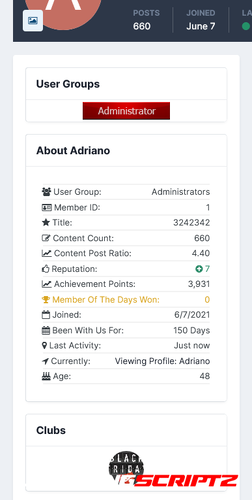 Enhance the information blocks on the members profiles with this easy to use resource. Features About User Block Enhance the about user block with more detailed member information of the member each with its own font-awesome icon Choose the font-awesome icon of each section from a predefined list of 600 icons (just start typing) Show/Hide the members user group Show/Hide the members rank Show/Hide the members id Show/Hide the members post count Show/Hide the members post ratio per day Show/Hide the members total reputation Show/Hide the members member of the days won Show/Hide the members joined date Show/Hide the amount of days the member has been registered Show/Hide the members last activity Show/Hide the members current location (on your site) Show/Hide the members age User Group Block Display the users group and secondary group images in a separate block Choose to display it above or below the about user block Choose to display the images in a list (above each other) or in a inline-block (left to right) Clubs Block Display the users clubs as icons (The club name will show on hover) Choose to display it above or below the about user block 3rd Party There is a setting for if you have (DF42) Members Social Info installed to show the block There is a setting for if you have (DF42) Profile Video installed to show the video in the block If you have member map installed then there is a setting to show the block
 -
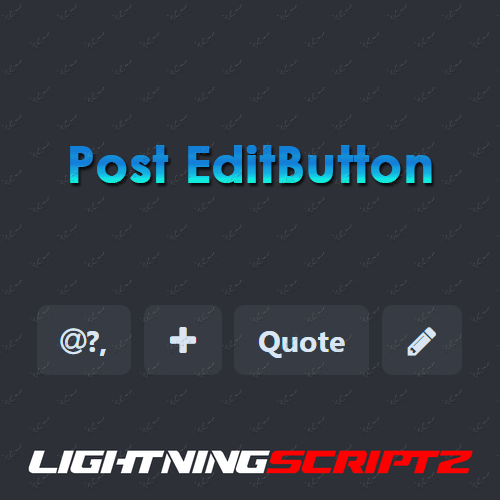 The plugin adds an edit post button in the quote bar to the forum threads. Compatibility: 4.6.x
 -
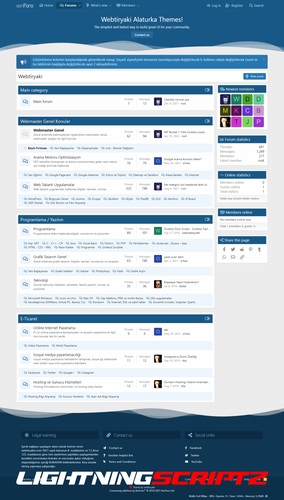 Hello, I wanted to share with you the design I made for Xenforo. added to the theme wt-gust-box (User Notification area is set from admin panel) wt-foter (foter information area is set from admin panel) etc... I made the nevbar field a single line etc. I stayed true to the original as much as I could, in short, I tried to make something simple and elegant. Compatible XF Versions 2.2
 -
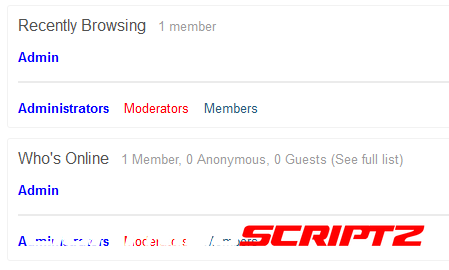 The plugin will allow you to display and display the legend of your groups on the forum.
 -
 This plugin allows users to easily create topics about movies and actors and fill them with content automatically. Requires a free TMDb API key which can be obtained here. Features Users can add movies, series, anime and actors to topics. After attaching the content, which can be done easily using a search with auto complete, the thread will show various information about the chosen content above the post. The topic will show the movie poster, cast, trailer, tagline, link to IMDb, rating and much more. If topics for actors of a movie exist the movie topic will automatically add a link to that topic. Discussed movies and actors can be shown in adjustable widgets which allow random, recently posted, most discussed and much more... Posting content can be restricted to certain forums. Movie boards can show movie content with the posters above the topic list. Access rights to edit and post content. Posting content can also be allowed in clubs. API support to search, add and remove content programmatically How to Install Go to ACP > applications and upload the downloaded tar file. ThreadStarter: Core has to be installed for the ThreadStarter plugin to work! (Attached to this resource) After installation a free TMDb API key has to be added in the settings. The API key can be obtained here. This product uses the TMDb API but is not endorsed or certified by TMDb. What's New in Version 1.1.6 Support for IPB 4.6
 -
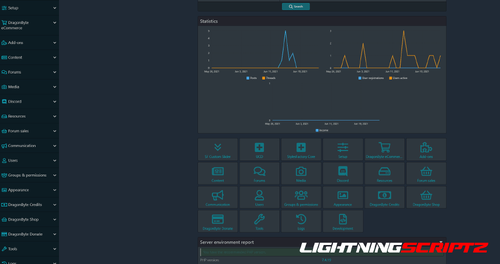 I did it for myself, but maybe someone else will come in handy, who spends a lot of time in the admin panel, editing templates. This plugin converts the control panel to a dark style. The plugin has color settings. Also, a separate setting was made for the design of the template editor (CodeMirror) with a choice of 10 styles. All of these settings only change in master style, so developer mode is needed to change. Make your Admin Control Panel have Dark Theme!
 -
 For styles StylesFactory to work Compatible XF Versions 2.2
 -
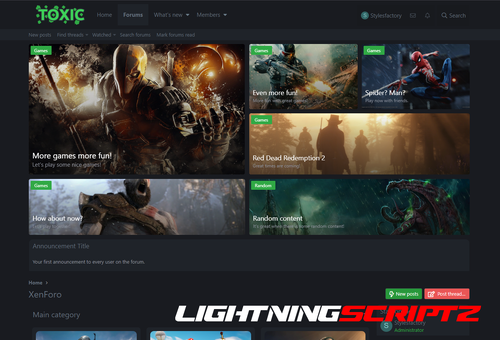 Toxic style is for people who want to try something more then just a dark theme. It can be used for all kind of communities. You can: set background for node set icons for each forum set big content display panel with highlights set logo set welcome message set announcement set custom footer with 4 blocks set 2 or 3 forum nodes in one row Other features: collapse categories responsive design support for font awesome icons support for SVG icons support for sprite icons fast installation For the style to work correctly, you need to set this: [SF] Core 1.0
 -
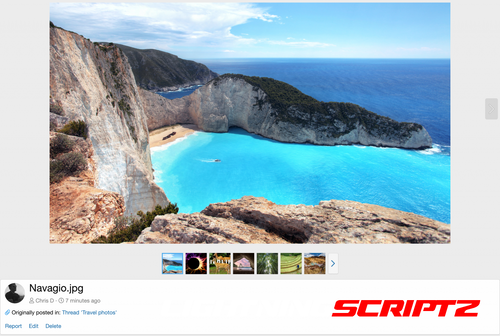 Today we are happy to announce that we are taking a major step toward a stable and supported release of XenForo 2.1 by releasing the first "Release Candidate". After a number of beta releases, the functionality of the product should be complete and the rate of bugs being reported (should) slow to a trickle, allowing the development team to work through the backlog and reduce the number of bugs to a handful. We have now reached this point in the development of XenForo 2.1, so the time is right to produce a release candidate.
 -
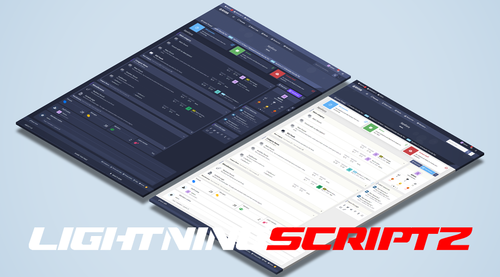 It has exciting features and excellent code quality.It has been designed and developed after thorough research to cater the requirements of people who interested in building user based directories. The design is contemporary but at the same time it focuses on the usability, visual hierarchy and aesthetics to ensure easy navigation for the end users. With Ryzer Pro, you will have both light and dark versions. In this way, you get two themes for a single theme price. It also comes with the threads ticker add-on and user reaction structure in the sidebar that comes with the theme. Ryzer Pro – Premium XenForo theme with perfect responsive design and a lot of customization options available without any coding knowledge. Customize theme colors, add items to your menus, sidebar, change overall layout just with few clicks! Retina ready with support for every resolution. RYZER PRO STYLE PROPERTIES Main Features of Ryzer Pro: Fully Responsive Layout Threads Ticker Sidebar user reactions 7 different color options Links hover effect Button hover effect Navigation links hover effect Three User Bar Layout Font-awsome navigation icons Font-awsome visitor menu icons Font-awsome sidebar icons Font-awsome notable member page icons Font-awsome account page sidenav icons Remove Sub-navigation row Show/Hide Breadcrumbs Hide Forum Title in Index Page Collapsible Categories Sidebar Position Sticky Sidebar Collapsible Sidebar and Blocks Two Different forum Layout Category statistics Switchable node icons Sticky and Normal Threads Posting Icons Advanced footer easily customized Modern Cross Browser Support And more...
 -
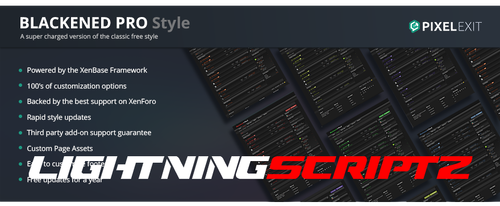 Blackened Pro is the Pro version of our free style Blackened. The Pro version has been enhanced and comes with the variety of options that are available in our XenBase style framework. 4 Different message layouts, 3 different node layouts are among the many other popular options that are ready for you to activate with the check of a box. Blackened makes the perfect gaming style or if you are wanting to offer your users a dark style. Fully detailed throughout providing a consistent look and feel. Special note: The XF1 version differs slightly from the XF2 version. Please see both demos and ask any questions you may have. Compatible XF Versions 2.2
 -
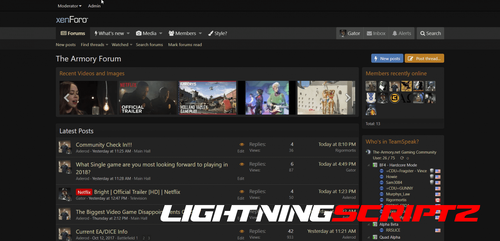 Shades of Grey A simple dark theme for XenForo 2 No template edits ... only CSS additions The style has been exported as an "archive" so no need to "extract" the zip file Simply import the .zip file as is Installation Instructions: While in the Admin CP, select: Appearance > Styles > Import > Child of style: (No Parent) > and then click "Import" NOTE: If you would like to change the text accent color, simply go to: Admin CP > Appearance > Style Properties > Shades of Grey > Color Palette > Color 4 For example, a cream-colored accent would use " rgb(226, 226, 188). If you liked the old (and discontinued) "Cream Accent" style, make these three simple changes: Color 3: rgb(54, 100, 132) to rgb(54, 108, 54) Color 4: rgb(112, 171, 203) to rgb(226, 226, 188) Accent 2: rgb(163, 102, 41) to rgb(107, 173, 109)
 -
 This is an AJAX based chat application that does AJAX calls to the server to get new messages. Main Features Rooms (with embed option) Dedicated guest room with nickname support Archive with search criteria Top chatters page Private conversations Sound, desktop & browser tab notification Global user commands (21 commands that you can manage and you can also add you own custom commands) Custom user commands (Can be used to set predefined messages/responses via command) User settings User status User group permissions User sanctions (Mute/Kick/Ban) User image uploads Style properties Lots of admin options to enable/disable certain features Bot notifications for new threads, new posts, new users, new Resource Manager resources, new Media Gallery albums/media/comments Bot responses that can be trigger by predefined keywords Bot messages that are posted automatically at set time/date Display notices in rotation (can be edited via the built in rich text editor) Display ads in rotation Set chat rules page Rooms widget Top chatters widget Active users widget Display "Who is typing" in both rooms and conversations Chat is loaded as a widget and you can customize the widget to load the chat at certain times on certain devices. Chat uses the built in XenForo rich-text editor and you can disable individual buttons/BB codes. Room options Name Description Room users (optional with user permission) - Allow room access to certain users. Password (optional with user permission) User groups - Allows you to enable room access based on user group (admin option) User language - Allows you to display room based on the user's account language setting (admin option) Read only - Allows you to make room read-only (admin option) Locked - Allows you to lock the room until a certain date (admin option) Can leave room - Allows you to control if the user can leave or not the room once joined (admin option) Minimum time between messages - Users will have to wait this many seconds between posting messages. (admin option) Auto-prune messages every x hours (admin option) Thread ID - If you set a thread ID, messages posted in the room will also be posted in the thread (admin option) In ACP there is an option that allows you to set the minimum length required for a message in order to be posted in a thread. (admin option) Enable thread reply - Thread replies will get posted in the room. (admin option) Repost in selected rooms - Allows you to automatically repost the messages you post in this room in other rooms (admin option) Room message features Simple Like/Unlike or Reactions Quote Link Report Edit Delete Conversation message features Simple Like/Unlike or Reactions Quote Report Edit Delete When scrolling to the end of the messages in both rooms and conversations, a button will show up to load more messages. You can also use the /find command followed by a keyword to search for messages.


